
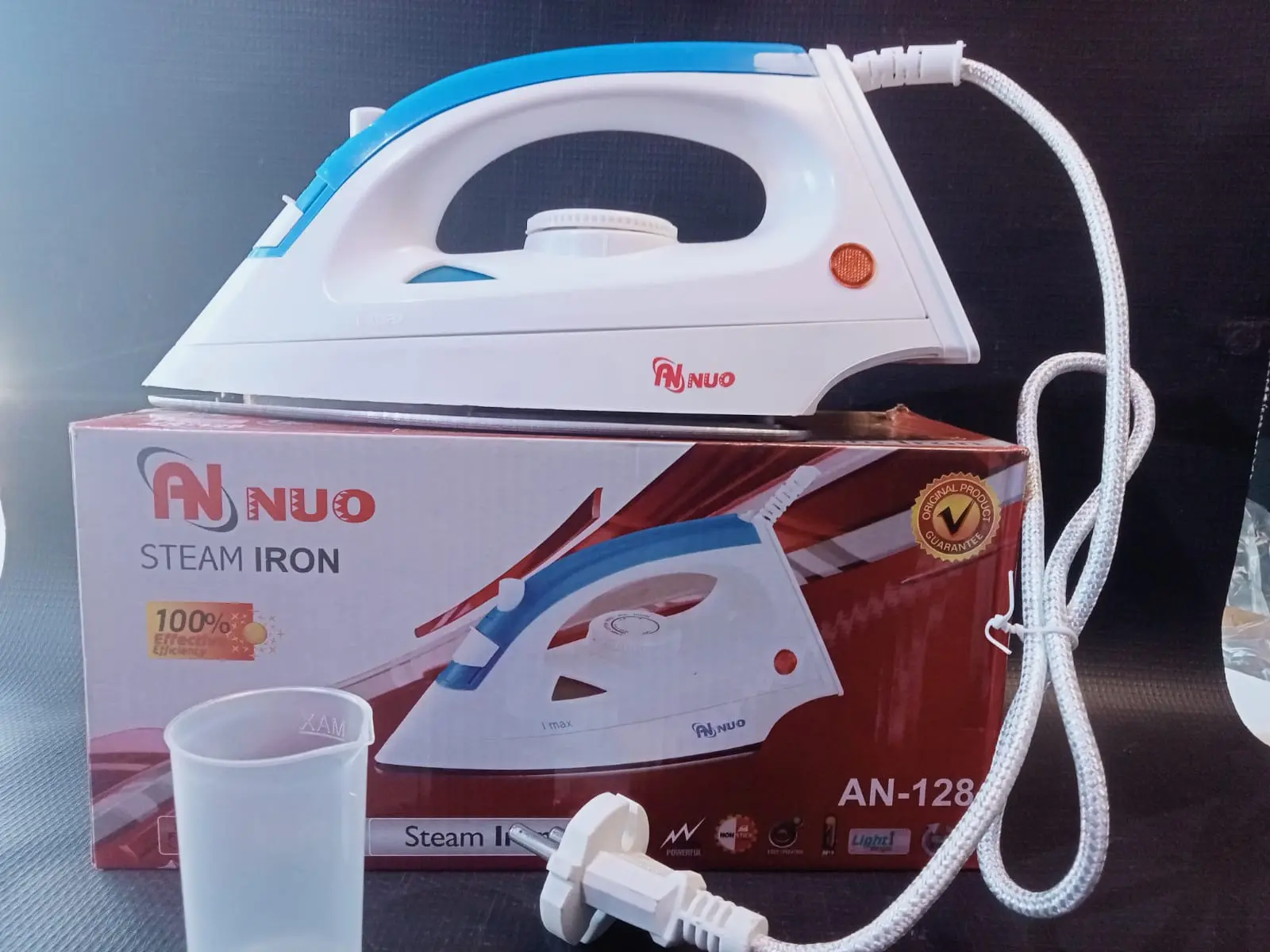
Parts Directory
1: Water Fill Cover
2: Steam Button
3: Front Cover
4: Cord Entry Protection
5: Add Water Cover
6: Heel Rest
7: Pilot Lamp / Indicator Light
8: Temperature Control Dial
9: Water Tank
10: Soleplate
Filling with Water & Steam Operation
Filling: Ensure the iron is unplugged and the steam control knob is set to “0” (off). Slide down/open the water guard, hold the iron at an angle, and fill the water tank to the MAX level without overfilling. Push the water tank back until it clicks into place.
Temperature Selection: Set the dial based on fabric type:
• Synthetics / Silk: Low temperature
•• Wool: Medium temperature
••• Cotton / Linen: High temperature
Ironing: Plug the unit in; the indicator lamp turns on and then shuts off once the selected temperature is reached. Steam function should only be activated at higher temperature settings (•• or •••) to prevent leakage from the soleplate.
Safety & Maintenance
Never leave the iron unattended while plugged in or resting on an ironing board.
Unplug from the socket after use, drain any remaining water from the tank, and store the iron standing upright on its heel rest once cooled.
Report this listing
Tell us what is wrong and we will look into it. Reports are private — the person who posted this is not told who reported them.







Comments